Creating links, announcing schedules, confirming attendance... Already worn out before the meeting even starts? Modak Meet brings video calls, voice meetings, screen sharing, live captions, and AI meeting notes right into the channel where you already work. Internal meetings end right here.

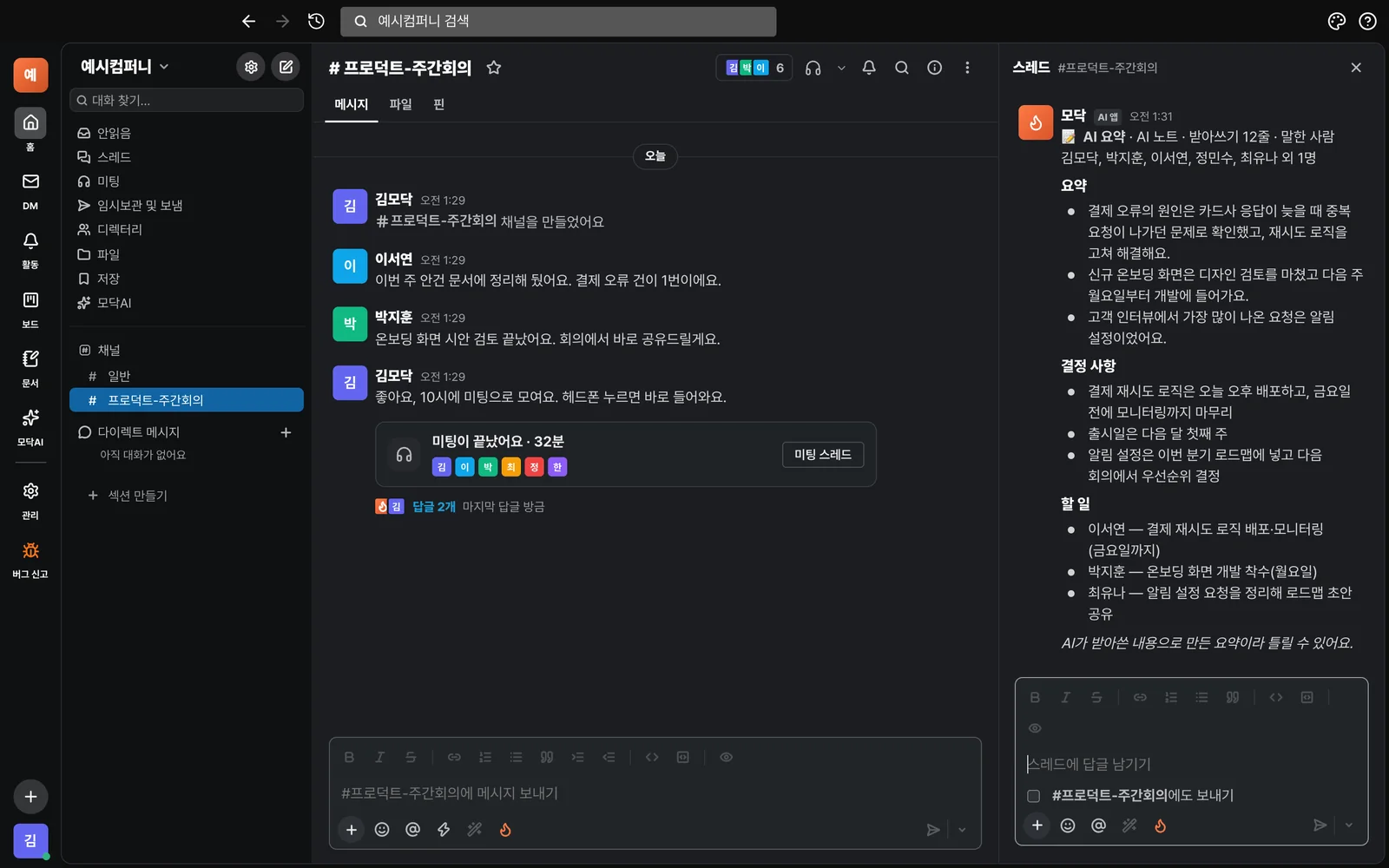
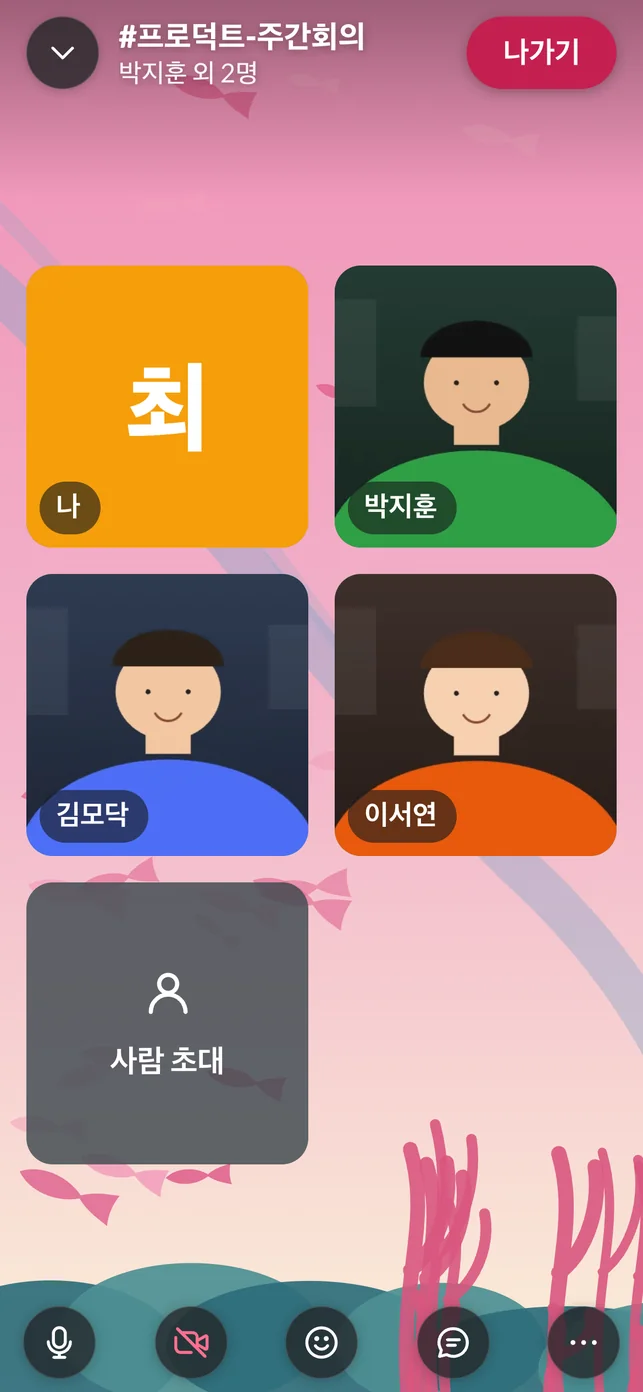
This is the actual Modak screen (demo account). Press the headphone button and it opens right above the channel.
Tap the headphones at the top of a channel or DM to open a meeting, and a card is posted to the channel. People in the same channel just tap "Join" on the card. For anyone who hasn't joined yet, pick their name to invite them and they'll get a notification. You can also check your microphone and camera before joining.

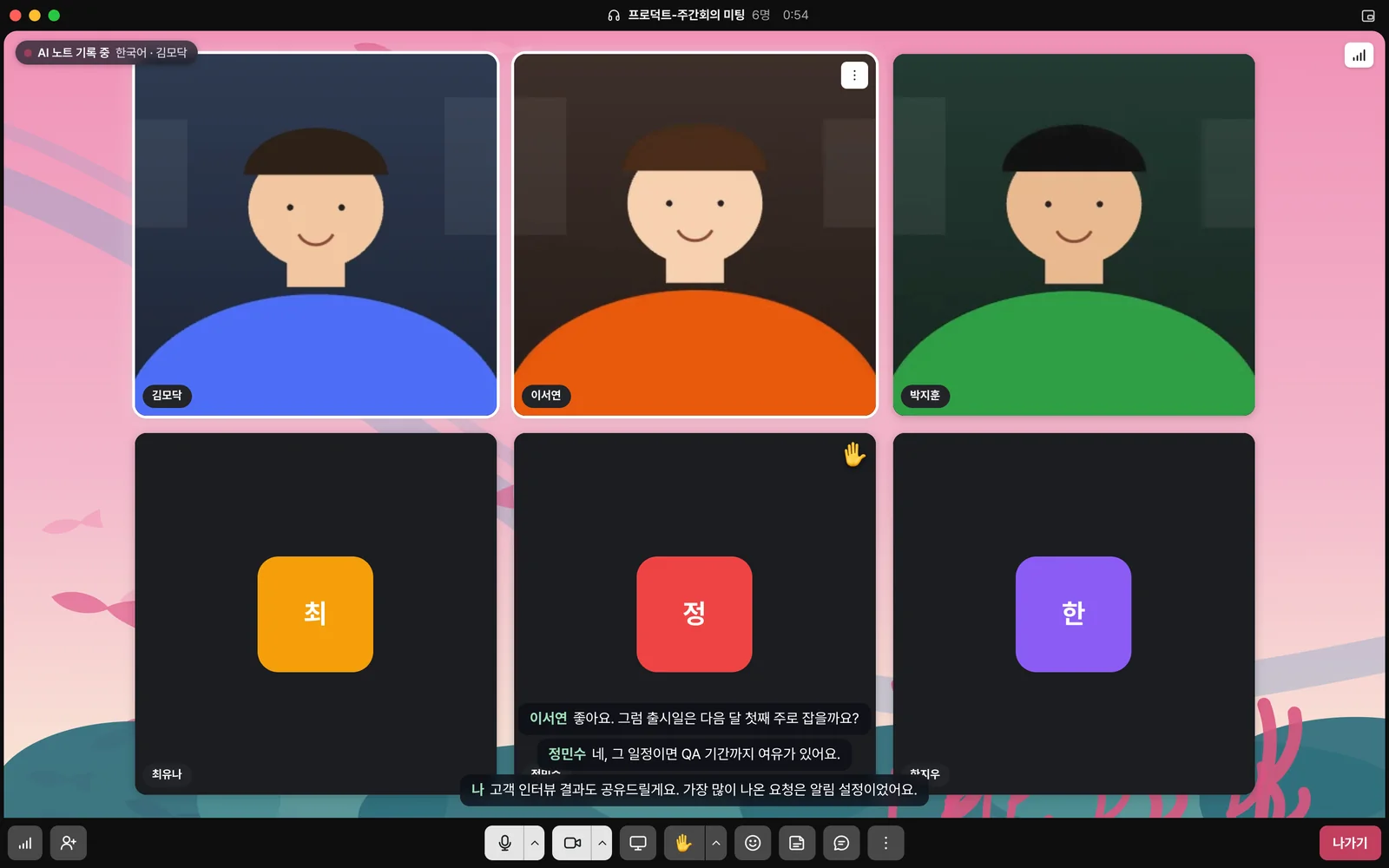
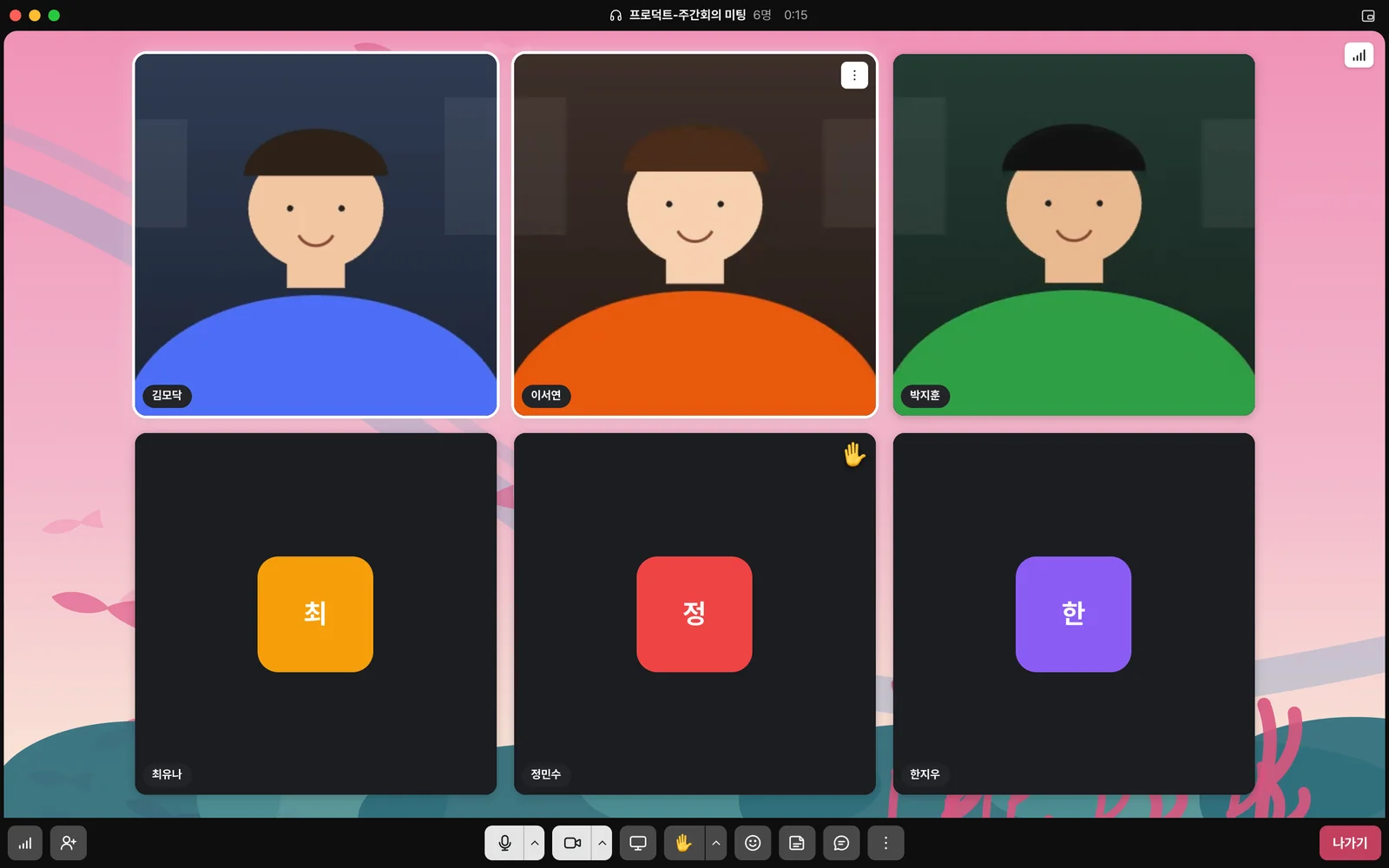
Up to 50 people can join a single room. Even with a crowd, the server relays the video, so your computer doesn't get overloaded. Up to 9 cameras show at a larger size at once, and everyone else joins by audio. Monthly all-hands meetings, town halls, and joint department meetings work without any extra services.
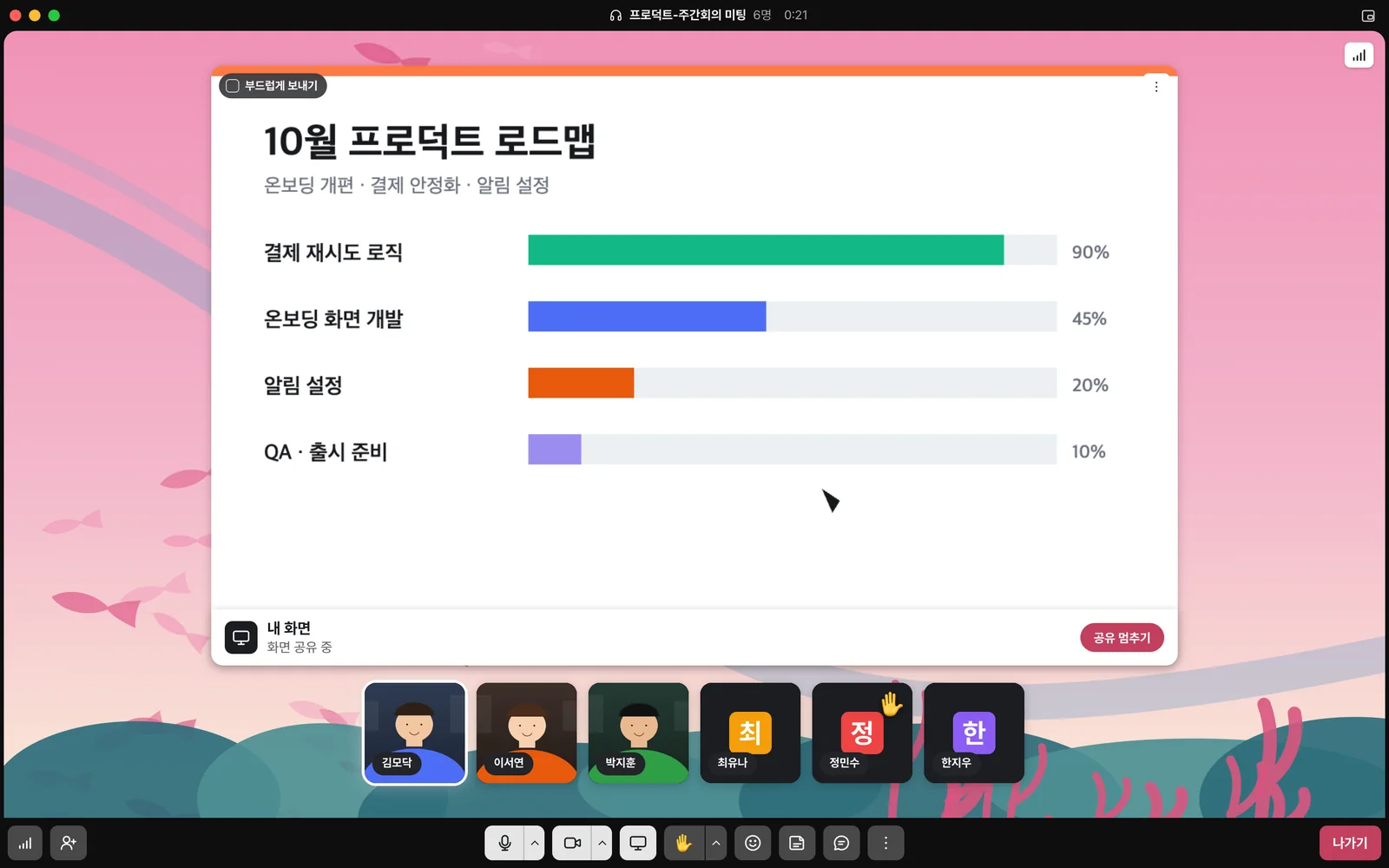
Pick a screen or a single window to share. For screens with lots of motion, like demo videos, use "Smooth send" for smooth playback; for documents where text matters, send it sharp and clear. Participants' faces stay visible on the side while you share, so you can read their reactions as you present.

In audio-only mode, turn off the camera and screen sharing and just exchange sound to save bandwidth. AI noise cancellation reduces keyboard and background noise, and switching to original sound mode carries musical instruments through as they are. You can pick your microphone, speaker, and camera right from the menu, and the status panel tells you if the connection is unstable.
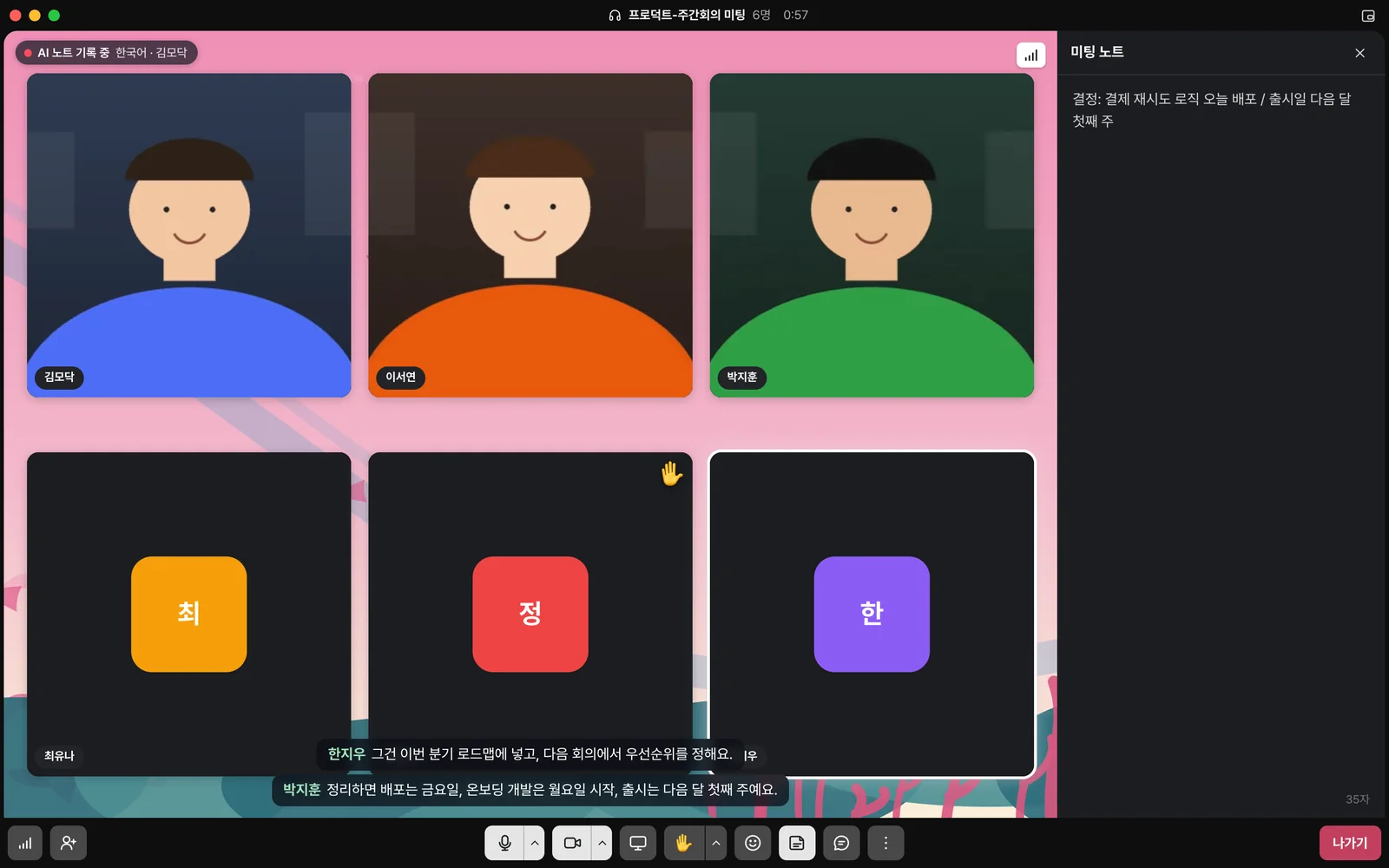
Turn on AI Notes and everyone sees “Recording” while speech is transcribed and shown as live captions. When the meeting ends, a summary, decisions, and to-dos are posted to the meeting thread in the channel. You can see at a glance who agreed to do what. Transcription covers 9 languages, including Korean, English, Japanese, and Chinese. Audio and video aren't saved; only the transcribed text is kept.


Notes written together during a meeting appear for everyone the moment someone types. When the meeting ends, the notes stay in the thread as one document, and the meeting chat is saved in the same thread so you can look back later. Raise your hand, react, or use status stickers to share your input without interrupting anyone.

Meeting cards and meeting notes stay in the channel as posts. People who missed it can read them and continue the conversation in replies, and since they're posts, they show up in channel search too. Ask @Modak and it reads the channel's posts and answers. Meetings don't disappear as one-time calls; they become a record of the work.
We agreed to deploy it this afternoon and finish monitoring before Friday. Seoyeon Lee is in charge.
Join from the Mac or Windows app, the iPhone or Android app, or right in your browser with no install. In the phone app, the call keeps going even if you scroll away or lock your phone, so you can stay in the meeting while on the move.

Only members can join meetings in private channels and DMs. Guests from outside the company, like customers and partners, can join only meetings in channels they've been invited to. Admins can turn off meetings for the workspace, and it works with company accounts (SSO) and directory integration. Conversations are not used to train AI.
Compared with separate video call apps (like Zoom, Google Meet, or Teams), each meeting goes through fewer steps.
Messaging is always free. You can try Meet free for 120 minutes per month, and upgrade to Modak AI Plus when you want unlimited use.
Yes, for internal meetings. Video, voice, screen sharing, captions, and meeting notes are all included, and the meeting stays in the channel. However, it's not suited for webinars or large events with hundreds of people from outside the company. Modak Meet is built for frequent, lightweight meetings with people in your company (and with customers or partners you invite as guests when needed).
From Modak AI Plus, up to 50 people per room (up to 9 cameras shown large at once). Free and Modak AI plans allow up to 8 people per room and 4 cameras.
No. Call audio and video are not stored on Modak servers. If you turn on AI notes, the transcribed text remains (visible only to participants), and the summary is posted to the channel thread. While AI notes are on, everyone sees "Recording".
Meeting time held in the workspace is added up. Multiple people joining count as one. It refills on the 1st of each month, and hovering over the Meet button at the top of the channel shows the time remaining. Once you use it all, you can't start a new meeting, but upgrading to Modak AI Plus lets you use it again right away.
Guests invited to a channel can join meetings in that channel. Guests can only see the channels they were invited to; other channels, directories, and documents stay hidden.
Yes. You can join the same meeting from the iPhone and Android apps, the Mac and Windows apps, or your browser. If you scroll away or lock your phone in the phone app, the call keeps going.
Just tap the headphone button. Try it free for 120 minutes a month with no card required, and expand to your whole team once you like it.
No card registration needed · Messaging is always free