Start a new conversation
A direct message (DM) is a chat between just two people. You use it the same way as a channel — only who can see it is different.
AStart with a person's name
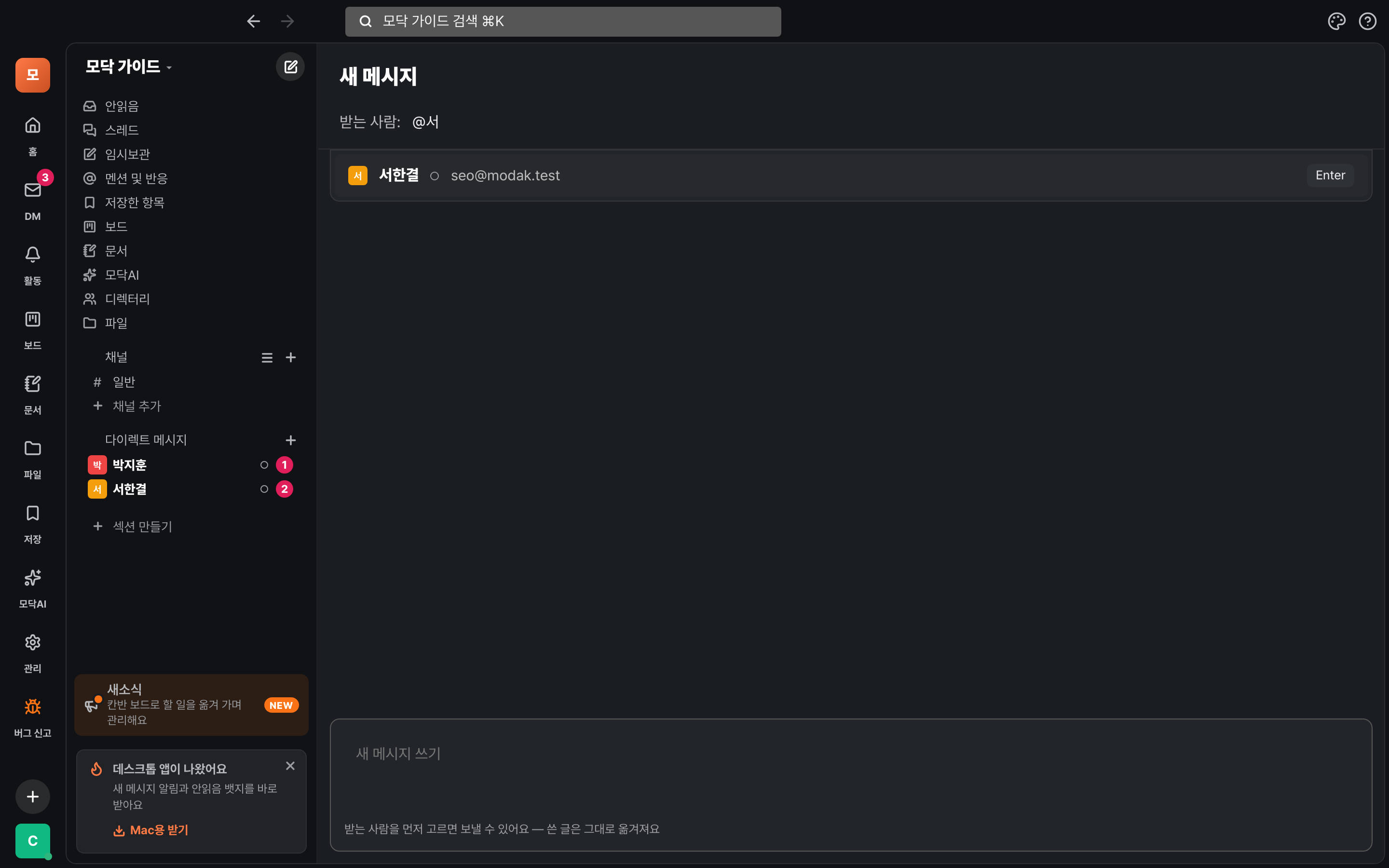
- Tap the + on the 「Direct messages」 line on the left. (The pencil button at the top of the DM screen does the same.)
- In the 「Recipient」 field, type @ and part of the name. For example: @Se. When the list appears, pick one with Enter.
- Type in the box below and press Enter. If you pick a person while writing, your draft moves to that conversation.
You can enter three things in the recipient field —
@name (a person) · #channel (send to a channel) · someone@example.com (an email). You can send to one place at a time.BAnother way
- In a chat or a list, tap a person's name or photo to open their profile, then tap "Send direct message".
- If the person isn't on Modak yet, enter their email in the recipient field. An invite link (valid for 7 days) appears, and once they join you can chat right away.
Viewing your DM list
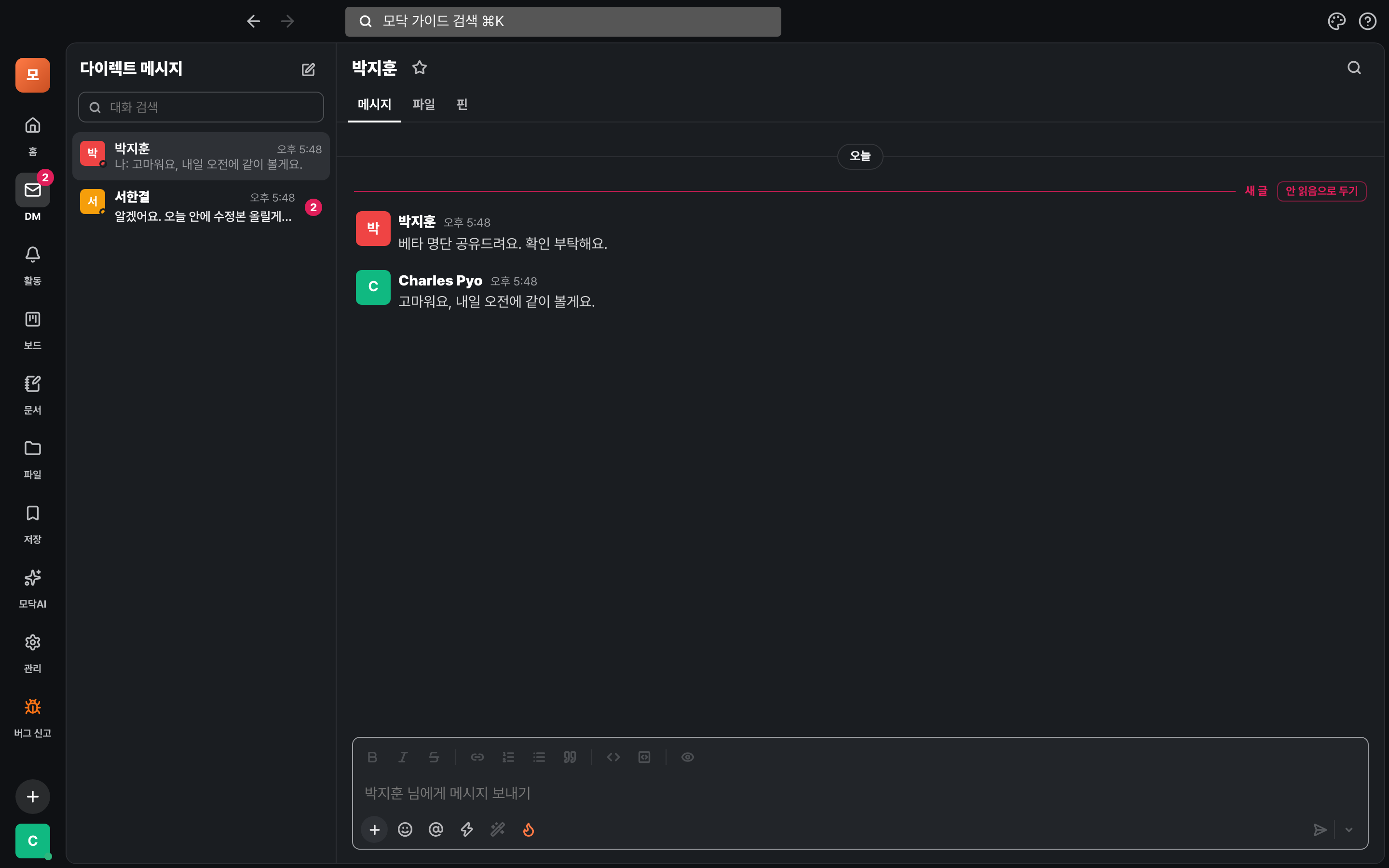
All your conversations are gathered in DM on the left rail (Mac ⌘⇧K · Windows Ctrl+Shift+K).
AHow to read the screen
- The left side is the conversation list. You'll see the other person's name, a preview of the last message, the time, and the unread count. Messages you sent last start with 「Me:」.
- Type a name in 「Search conversations」 at the top and the list gets shorter.
- Tap a chat and it opens on the right. It's split into Messages · Files · Pins tabs.
- The dot next to a name shows whether the person is online now.
A "New" line appears where your unread messages begin. To come back to it later, press "Keep as unread" at the end of the line.
What you can do in a DM
The writing tools are exactly the same as in Channels and chats.
AWhat works the same
- Formatting — Use the buttons above the input box to add bold, lists, links, and code.
- Threads — Hover over a message to reply in a thread.
- Reactions & files — Reply with an emoji, or upload files with + (up to 2GB each). They all show up in the Files tab.
- Search — ⌘K finds DM messages too. You can narrow it down with 「DMs only」.
BChat with yourself
- Your DM with yourself moved from Slack shows up in the DM list as 「Chat with myself」.
- For more details, see Moving over from Slack.
Never miss a thing
You get notified about new DMs in several places.
AWhere notifications show up
- A red number appears on the DM icon in the left rail and next to the name in the sidebar.
- Unread posts all gather in 「Unread」 at the top left.
- They also pile up in Activity (the bell icon). On your phone, it's the Activity → DM section.
- Install the desktop or phone app and you'll get notifications too → Download the app.
Who can see a DM?
Only the people in the conversation can see it.
How it stays protected
- Even admins can't see them — by default, even workspace admins can't download all DMs at once.
- Modak AI works the same way — if the person who calls it can't see a DM, Modak can't see it either.
- DMs moved from Slack only show up once both people have joined Modak and entered their own Slack spot.
DMs on your phone
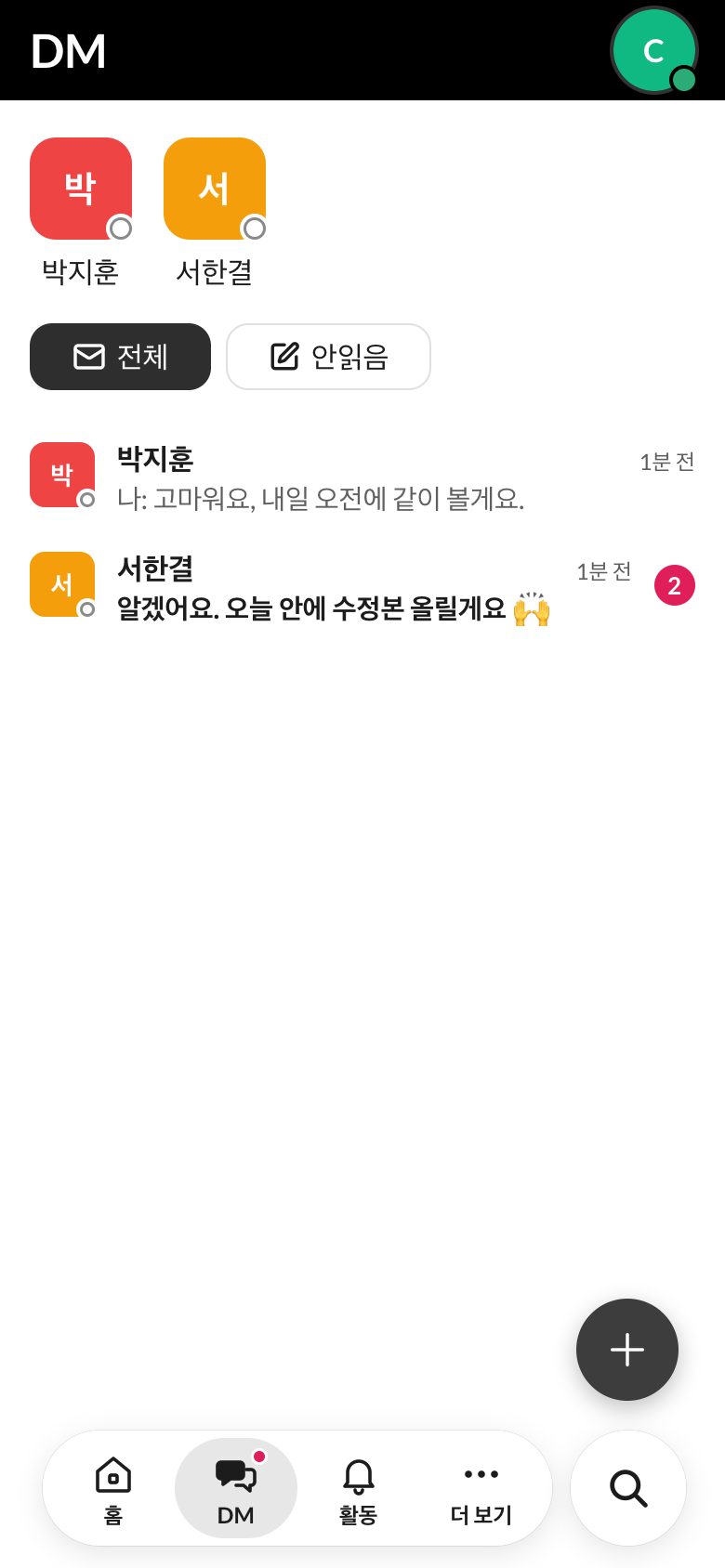
On your phone, use the DM tab at the bottom.
ADM tab
- Tap 「DM」 in the bottom tabs. If you have unread DMs, a dot appears on the tab.
- The round photos at the top are people you talk to often. Tap one to open the conversation right away.
- Switch the list with All / Unread.
- Start a new conversation with the + at the bottom right.
Good to know
- You start with one person at a time. To talk with several people, create a channel → Channels and conversations.
- Shortcuts — open the DM screen with ⌘⇧K (Ctrl+Shift+K on Windows), and move to the previous or next conversation with ⌥↑ / ⌥↓.
- Ask the AI — Call @Modak in a channel and it will summarize or search for you → Modak AI.
Stuck?
- The person isn't in the recipient list
- Only members of the same workspace show up, and bots are left out. If someone isn't on Modak yet, enter their email to send an invite link.
- I don't have any DMs
- It's empty at first. Tap + on the 「Direct messages」 line on the left to start your first conversation.
- I moved from Slack but can't see my DMs
- The ZIP you received may not include DMs, or the other person may not have signed up yet → see "Stuck?" in Move from Slack.